Why Mobile Matters for General Contractors
General contractors spend more time on job sites than in offices. The field is where decisions get made, problems get spotted, and work gets verified. A contractor who has to wait until they return to the office to log a daily report, email a photo to the client, or check the schedule is operating with a delay that compounds across every project. Mobile apps eliminate that delay by putting project information in the contractor's hand wherever they are.
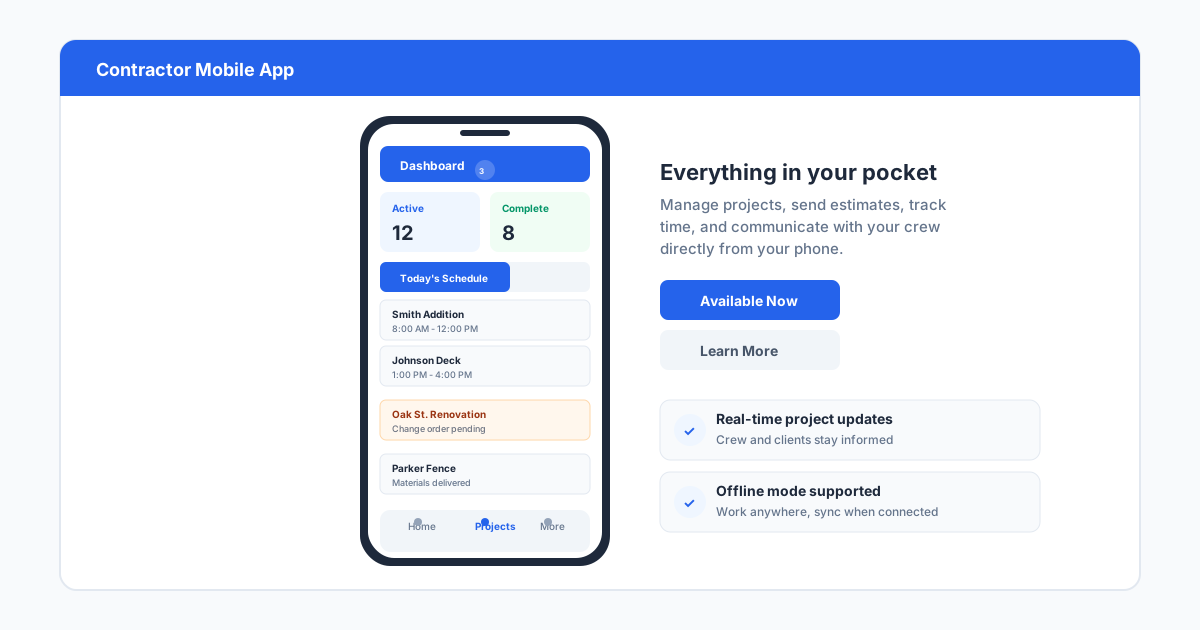
The shift toward mobile-first construction tools has accelerated because smartphones are now powerful enough to handle the full workflow. A superintendent can photograph a rough-in inspection, annotate the photo with markups, attach it to the daily log, notify the project manager, and file it in the project record, all from a phone, in under two minutes. That same workflow using a camera and a laptop back at the office takes an hour and often does not happen at all on busy days.
Mobile apps also improve data quality. Field entries made on site are more accurate than entries made from memory at the end of the day. A superintendent who logs time, notes, and photos while standing in the work area captures details that would be forgotten by the time they sit down at a desk. The difference in accuracy is noticeable in daily reports, time cards, and progress documentation.
The generational shift in the construction workforce is another reason mobile matters. Younger superintendents and project engineers have grown up using smartphones for everything. They expect to manage their work from a phone, and they adopt mobile-first tools faster than desktop-heavy platforms. Contractors who invest in good mobile apps find it easier to attract and retain younger talent who would otherwise feel frustrated by outdated field workflows.
Categories of Contractor Apps
General contractor apps fall into several categories, and most contractors end up using a combination rather than a single all-in-one tool. Field management apps handle daily logs, photo documentation, inspections, and time tracking. Project management apps handle scheduling, document control, and team communication. Estimating and takeoff apps help with bid preparation. Financial apps track job costs, invoices, and payments. Communication apps keep the team aligned across projects.
The best approach for most general contractors is to identify the primary category that creates the most friction in their current workflow and solve that first. A contractor who struggles with daily reporting and field documentation should start with a field management app. A contractor who cannot keep schedules current should start with a project scheduling app. Adding tools incrementally avoids the complexity of deploying a full platform all at once.
Integration between apps matters more than individual features. A daily log app that does not connect to the project management platform means the superintendent enters data twice. An estimating app that cannot export to the accounting system means the office rekeys numbers. Contractors should evaluate apps within their existing ecosystem first. If the project management platform has a field app, that field app should be the first option evaluated because it will integrate most cleanly.
- Field management: daily logs, photos, inspections, time tracking
- Project management: schedules, documents, submittals, RFIs
- Estimating and takeoff: digital measurements, cost databases, bid management
- Financial: job costing, invoice management, lien waiver tracking
- Communication: team messaging, photo sharing, push notifications
Top Apps Reviewed
Procore's mobile app is the most comprehensive field management app available. It offers daily logs, photo documentation with markup, inspections, punch lists, time cards, and submittal reviews, all integrated with the Procore project management platform. The app works offline, syncing data when connectivity returns. For contractors already using Procore, the mobile app extends the full platform capability to the field. For contractors not using Procore, the app cost and setup time are harder to justify.
Fieldwire is a dedicated field management app that works independently of broader project management platforms. It focuses on plan viewing, markup, issue tracking, and daily reports. Field crews can view the latest drawings on their phone, mark up issues with photos and notes, and assign follow-ups to specific team members. Fieldwire is popular with subcontractors and general contractors who want a lightweight field tool that does not require full platform adoption. Pricing starts around $50 per month per user.
Raken is the strongest option for contractors who want a simple, focused daily reporting app. It lets superintendents log daily reports with photos, notes, weather, crew counts, and work completed in minutes. The reports are automatically formatted and can be emailed to clients or imported into project management platforms. Raken is designed for contractors who do not need full construction management software but want professional daily reports. Pricing starts around $50 per month.
PlanGrid, now part of Autodesk, remains one of the best plan viewing and markup apps despite being acquired years ago. It syncs drawings across devices, shows the latest version, and supports cloud-based markups that appear on every team member's screen. For contractors who work from drawings every day, PlanGrid provides a better mobile drawing experience than most full-platform apps. It integrates with Autodesk Build for contractors who use the broader Autodesk construction ecosystem.
Procore, Fieldwire, Raken, and PlanGrid each serve a different primary need. Procore covers everything but requires its full platform. Fieldwire focuses on plan-based field collaboration. Raken specializes in daily reports. PlanGrid excels at drawing management. The right choice depends on which workflow the contractor most needs to improve, with integration into existing tools as the deciding factor between otherwise comparable options.
A newer category worth watching is AI-powered field documentation tools that automatically generate daily reports from photos and voice notes. These tools use computer vision to identify work progress, material quantities, and safety issues from site photos. While still emerging, they point toward a future where field data collection becomes more automated and superintendents spend less time typing and more time supervising.
Building Your App Stack
Most general contractors end up with two to four apps that cover their essential workflows rather than a single platform that does everything. A common stack includes a project management platform for scheduling and document control, a field management app for daily logs and photos, an estimating tool for bids, and a communication app for team messaging. The key is ensuring that the apps in the stack share data rather than requiring manual transfers.
The risk of building an app stack is subscription creep. Four apps at $100 per month each is $400 per month, plus setup time and training for each one. Contractors should evaluate whether an all-in-one platform like Procore or Buildertrend provides enough capability to replace multiple specialized apps. For a contractor who would otherwise subscribe to a project management platform, a field app, and an estimating tool, an all-in-one platform may cost less total and eliminate the integration headaches.
The opposite risk is choosing an all-in-one platform that does none of the functions well enough. A general contractor whose primary need is excellent daily reporting may find that a dedicated app like Raken provides a better experience than the daily log module in a full platform. In that case, the best stack is Raken for reports plus a simple project management tool for schedules and documents. Evaluate each function independently, then look for overlaps and integrations.
How SiteBuildHub Fits the Mobile Workflow
SiteBuildHub Draft runs entirely in the browser on any device, including phones and tablets. A general contractor on site who needs to create a quick site plan, mark up a fence layout, or sketch a concrete pad does not need to return to the office or open a laptop. The drawing tool works on the same device the contractor already carries for daily reports and scheduling. That accessibility means drawings happen in the field, not hours or days later.
The export workflow matches how contractors already share information. A superintendent can draw a site plan on a tablet, export it as a PDF, and upload it to the project's document folder in Procore, Fieldwire, or whatever platform the team uses. The drawing becomes part of the project record alongside the daily logs, photos, and inspection reports. It does not require any special integration or data transfer process.
For general contractors who manage multiple subs and trades, the ability to produce a quick drawing and share it immediately reduces miscommunication. A concrete contractor arriving to pour a pad can receive a dimensioned drawing on their phone showing exactly where the edges go, how thick the slab is, and where the rebar needs to be placed. That drawing, created in minutes by the GC on site, prevents the kind of verbal handoff that leads to a slab poured in the wrong location or at the wrong thickness.