Challenges Custom Home Builders Face
Custom home builders operate differently than commercial general contractors or subcontractors. Every project is unique, every client has different preferences, and the timeline stretches over months or years rather than weeks. The builder must manage architect coordination, permit processing, selections and allowances, subcontractor scheduling, client communication, budget tracking, and warranty service all on a single project with no room for the kind of standardization that production builders rely on.
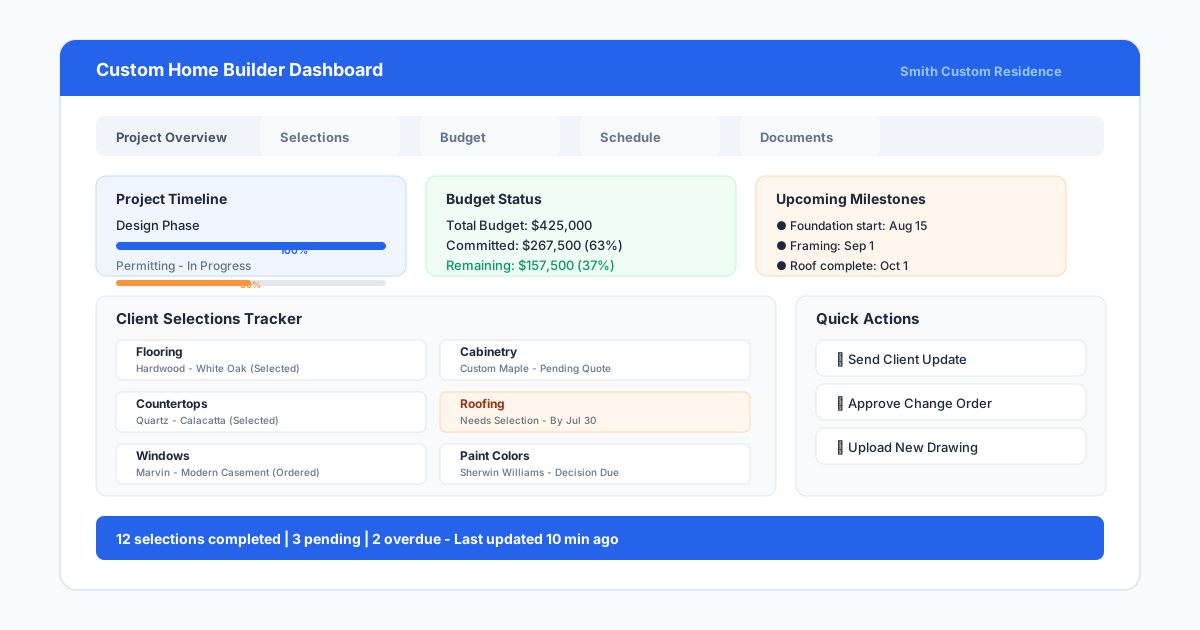
The biggest operational challenge for custom builders is managing selections. A typical custom home involves hundreds of decisions: flooring, cabinetry, countertops, fixtures, paint colors, tile, appliances, lighting, hardware, and more. Each decision has a deadline, a budget impact, and a lead time. When selections fall behind schedule, the construction timeline slips. When selections are not documented properly, the builder installs the wrong item and pays for the correction. Home builder software with selections management directly addresses this challenge.
Client communication is the second major challenge. Custom home clients are more involved than commercial clients, and they expect regular updates. A builder who relies on phone calls and emails to update clients on progress spends hours per week on status conversations. Home builder software with a client portal lets clients see schedules, photos, selections status, and financial updates on their own schedule, reducing the communication burden on the builder while keeping the client informed.
Budget management for custom homes is complicated by allowance tracking. Every allowance line item, from appliances to landscaping, starts with a placeholder value and gets refined as selections are made. Builders need to track the original allowance, the selected item cost, any overage or underage, and the cumulative impact on the total budget. Spreadsheets can handle this for one or two homes, but builders with multiple custom projects in progress need software that tracks allowance status automatically.
Permit coordination adds another layer of complexity that home builder software can streamline. Custom homes require building permits, electrical permits, plumbing permits, mechanical permits, and sometimes separate permits for site work and landscaping. Each permit has its own application process, review timeline, inspection schedule, and fee structure. Software that tracks permit status alongside the construction schedule ensures that inspections do not hold up progress because someone forgot to schedule the rough-in inspection during the right window.
Must-Have Features for Home Builder Software
Selections management is the feature that most clearly separates home builder software from general construction management platforms. A selections module should let the builder create a selections schedule, assign deadlines relative to construction milestones, track client decisions, record actual costs versus allowances, and notify the team when deadlines approach. Without this feature, the builder is managing selections in spreadsheets or binders, which creates gaps and delays.
Client communication tools are equally important. A client portal where homeowners can view project photos, check schedule progress, review selections, see financial updates, and communicate with the builder reduces the number of status calls and emails significantly. The best portals also allow clients to approve selections, change orders, and draw requests digitally, creating a clear approval trail that protects both parties.
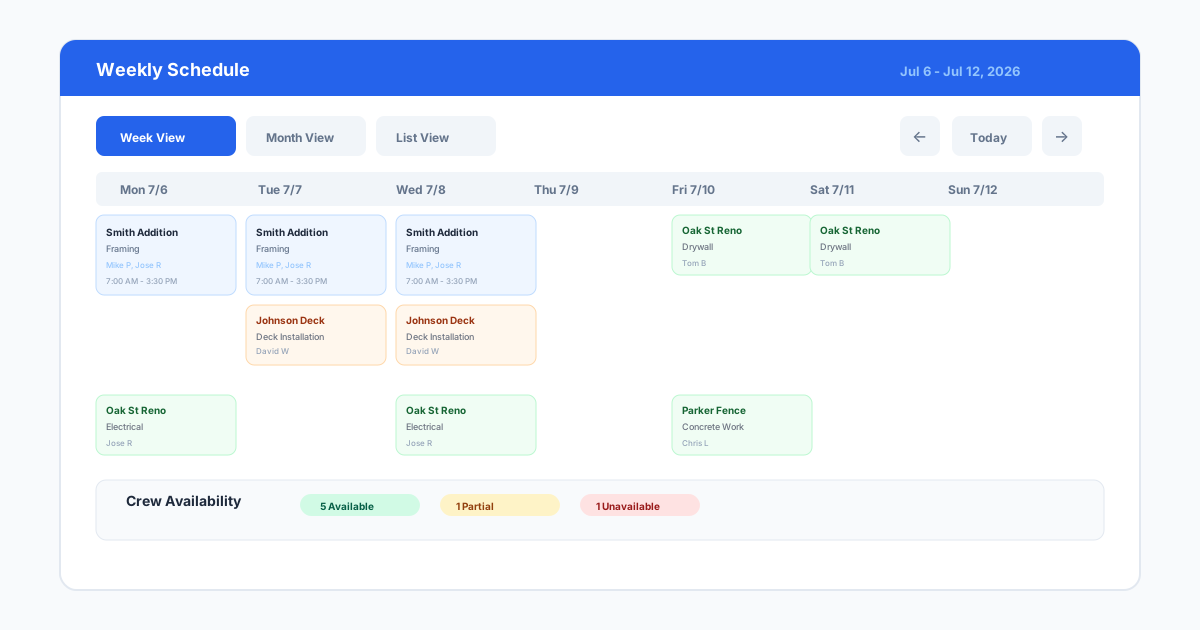
Scheduling designed for home building differs from general construction scheduling. Home builder software should handle phased scheduling where foundation, framing, rough-in, drywall, trim, and finish each have their own timelines, dependencies, and subcontractor assignments. The schedule should be visible to clients in a simplified view that shows key milestones without overwhelming them with trade-level detail.
Warranty and service management is worth evaluating for builders who stand behind their work. After the home is delivered, warranty requests need to be tracked, assigned to trades, and closed out. Software that manages the warranty process from request through resolution keeps the builder organized during a phase when new projects are already demanding attention.
- Selections management with deadlines, budgets, and approval tracking
- Client portal with project updates, photos, and financial visibility
- Phased scheduling designed for residential construction
- Change order and allowance tracking with client approval
- Warranty and service request management
- Integration with QuickBooks or other accounting software
Top Home Builder Software Options
Buildertrend is the most widely used platform for custom and production home builders. It covers scheduling, selections, client communication, financials, change orders, and warranty management in a single platform. The client portal is particularly well designed for custom home builders, allowing homeowners to view selections, approve changes, and track project progress on their own. Pricing starts around $500 per month for the basic plan and scales with features and team size.
CoConstruct is Buildertrend's primary competitor and offers a similar feature set with an emphasis on builder-client collaboration. Its selections management module is intuitive, and the mobile app is strong for field use. CoConstruct also offers a budgeting and financial module that tracks allowances and changes against the original contract. Pricing is comparable to Buildertrend. Many builders trial both and choose based on interface preference and specific feature emphasis.
BuilderMT specializes in production home builders who manage large subdivisions with multiple floor plans, phases, and spec homes. Its features include centralized purchasing, automated schedule generation, and production tracking across dozens or hundreds of homes. For custom builders who build fewer than twenty homes per year, BuilderMT is likely overkill. It targets the production segment where Buildertrend and CoConstruct target the custom and light production segment.
MarkSystems serves mid-size to large home builders with a focus on financial management, purchasing, and land development tracking. It is a robust platform for builders who manage land acquisition, development, and home construction under one umbrella. The learning curve is steep, and the pricing reflects the enterprise audience. Smaller custom builders should evaluate Buildertrend or CoConstruct before considering MarkSystems.
UDA ConstructionOnline offers a flat-rate pricing model that some builders prefer over monthly subscriptions. It includes scheduling, estimating, document management, client communication, and selections tools. While the interface is not as polished as Buildertrend or CoConstruct, the functionality is solid, and the one-time purchase option eliminates recurring costs after the first year.
For production builders who manage large subdivisions, automated purchasing and centralized material ordering can save substantial time. When every home in a subdivision uses the same flooring, cabinetry, and fixtures, the builder should be able to order materials for all homes at once rather than processing each home individually. BuilderMT excels at this type of centralized purchasing, while Buildertrend and CoConstruct are better suited for custom builders who need flexibility over standardization.
The Role of Drawings in Home Building
Home building relies on a full set of architectural drawings, but those drawings are typically produced by architects or designers, not by the builder. The builder needs drawings for a different purpose: site planning, foundation layout, utility rough-in locations, floor plan markups for client reviews, and as-built documentation. Custom builders constantly create and modify drawings during the construction process, and they need a tool that works faster than CAD for those everyday drawing tasks.
SiteBuildHub Draft helps builders create site plans, foundation layouts, floor plan markups, and site utility sketches without opening CAD software. A builder walking a lot with a client can measure the building envelope, draw the proposed home footprint, show the driveway and walkway locations, and export a site plan before leaving the property. That drawing becomes part of the project record and can be shared with the excavation crew, the foundation contractor, and the client for approval.
During construction, drawings help communicate changes. When a client asks about moving a window or adding a door during a walkthrough, the builder can sketch the change on a plan view, note the dimensions, and have a record of the request. That drawing attaches to the change order and eliminates the he-said-she-said that happens when verbal requests get translated into pricing weeks later. Drawings created during construction are just as valuable as drawings created during the bidding phase.
Making the Right Choice
The right home builder software depends on the volume and complexity of projects a builder handles. A custom builder doing two to five homes per year needs selections management, client communication, and basic scheduling. Buildertrend or CoConstruct both cover these needs well. A production builder doing fifty or more homes per year needs centralized purchasing, automated scheduling, and subdivision management. BuilderMT or MarkSystems become more appropriate at that scale.
Budget should include both the software subscription and the time required for setup and training. Home builder software is more complex than general contractor software because of selections management and client portal configuration. Builders should plan for two to four weeks of active setup time and budget for any data migration from previous systems. Most vendors offer onboarding assistance, and using it is worth the cost for builders who are new to construction management platforms.
The evaluation process should involve the entire team, not just the owner. The project manager, the superintendent, and the office administrator will each use different parts of the platform. If the superintendent finds the mobile app frustrating, the field data will be incomplete and the office reports will be inaccurate. Involve each role in the trial process and ask every team member whether they would prefer this software over their current process before signing a contract.