SiteBuildHubStart Drawing

Construction Software Comparison

Compare construction software without getting buried in features

A decision hub for small contractors, remodelers, builders, and specialty trades that need to compare workflow fit—not marketing checklists.

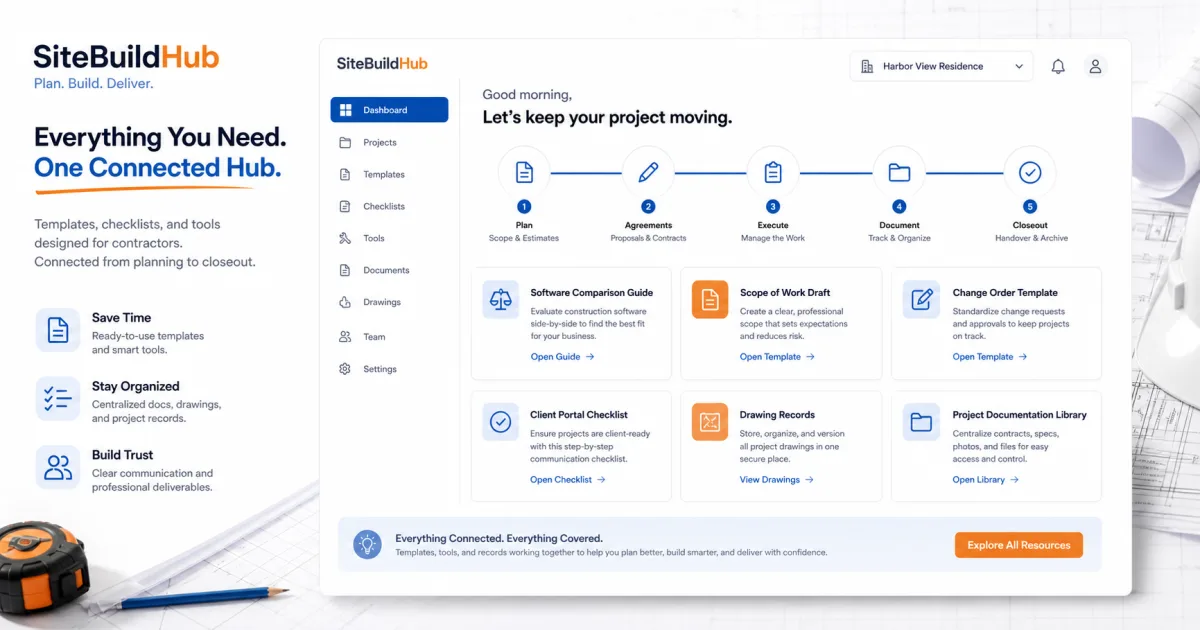
Contractor resource hub showing software comparison, scope draft, templates, checklists, and project documentation

Who this comparison guide is for

This guide is for contractors who know a workflow needs improvement but do not want software selection to become a second job. It is particularly useful for owner-operators and small teams without a dedicated systems administrator.

Start with the business constraint: missed approvals, outdated drawings, slow estimates, scattered documents, weak client handoffs, incomplete daily reports, or delayed financial visibility. A product is only relevant if it improves that outcome at an implementation cost the company can sustain.

  • Small general and specialty contractors
  • Remodelers and design-build teams
  • Deck, fence, landscape, and concrete contractors
  • Growing teams replacing spreadsheets and shared drives

Quick construction software comparison table

Use this table to identify the category worth investigating. Categories overlap, but the primary job-to-be-done should remain clear.

CategoryBest forVerify before buying
Drawing and document managementCurrent sheets, markups, revisions, and field accessOffline behavior, revision alerts, export, permissions
Client portalsApprovals, selections, updates, documents, and client visibilityLogin friction, acknowledgment evidence, mobile access
Project trackingTasks, schedules, ownership, status, and dependenciesField completion, exception handling, reporting
Daily reportingLabor, progress, photos, conditions, and delaysCompletion speed, reminders, report distribution
Scope and project draftsMeasurements, notes, drawings, scope context, and client-ready handoffTemplate fit, document clarity, export boundaries
Change order documentationChanged scope, price, schedule, evidence, and approvalsAuthorization controls and integration with current documents
Full management suiteConnected CRM, estimating, projects, financials, and client workflowsImplementation capacity, accounting ownership, total cost

How to compare software responsibly

Weight requirements before demonstrations. Give critical financial, document, approval, or field controls more weight than visual preferences. Set disqualifiers for security, data ownership, required integrations, or unusable field workflows.

Make every vendor demonstrate the same real project. Include a revision, rejected approval, missing field, restricted user, weak connection, and complete export. Record whether a capability is native, configured, integrated, custom, or only planned.

Calculate three-year cost and assign an implementation owner. Measure completion quality after launch rather than assuming purchased features create value automatically.
  • Define the measurable constraint
  • Use the same scripted demonstration
  • Test office, field, client, and finance roles
  • Include implementation and migration cost
  • Confirm export, renewal, support, and cancellation terms

Best-fit categories and related comparisons

The resources below connect broad questions to focused buying guides. They include balanced comparisons, alternatives, pricing, ROI, drawing management, client portals, and practical tools.

SiteBuildHub belongs in a shortlist when the need is a lightweight project draft with drawings, measurements, scope notes, and client-ready documents. Evaluate full platforms when connected estimating, accounting, job costing, payroll, scheduling, or enterprise governance is essential.

Frequently asked questions

What is the best construction software for a small contractor?

The best fit depends on the workflow causing the most cost or delay. Small teams should prioritize adoption, current documents, field usability, export, and total implementation effort before optional breadth.

Is SiteBuildHub a full construction management suite?

No. SiteBuildHub is a lightweight workspace for project drafts, drawings, measurements, scope notes, templates, and client-ready documents. It does not replace ERP, accounting, payroll, or enterprise project controls.

How should contractors compare software pricing?

Compare three-year total cost, including subscriptions, users, onboarding, migration, integrations, training, support, and internal administration—not only the advertised monthly price.

Should a contractor choose all-in-one or specialist software?

Choose all-in-one when connected operational and financial workflows justify the rollout. Choose specialist tools when a focused task can be improved without duplicating data or creating fragile integrations.

How many products should be shortlisted?

Usually two or three evidence-backed finalists are enough. Use the same workflow script, data, roles, exceptions, and scoring weights for each demonstration.

Can spreadsheets still be part of the workflow?

Yes. Spreadsheets remain useful for calculations and small registers. They are weaker when drawings, approvals, client context, and version-controlled documents depend on emailed copies.

Ask SiteBuildHub AI