SiteBuildHubStart Drawing

Project Documentation Hub

Contractor project documentation hub

One practical library for startup records, drawings, scope documents, change orders, client approvals, daily reports, RFIs, submittals, and software selection.

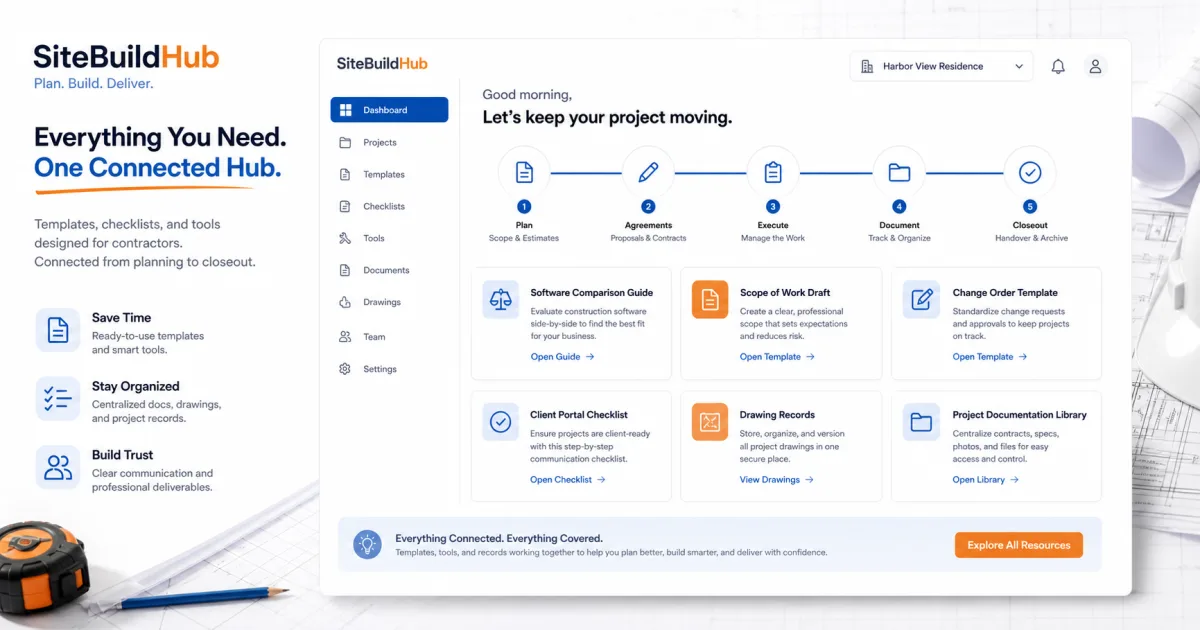
SiteBuildHub contractor resource hub connecting templates, checklists, tools, drawings, and project documentation

Why construction documentation matters

Documentation is not paperwork for its own sake. A useful project record helps someone understand what was agreed, which information was current, what changed, who approved it, and what action came next.

Small contractors need a system that is disciplined without becoming bureaucratic. Every required record should support a decision, payment, handoff, safety or compliance obligation, client expectation, or future reference. Requirements involving law, accounting, safety, engineering, or permits need qualified professional guidance.

  • Protect scope clarity
  • Support estimating and billing
  • Keep crews on current information
  • Record client decisions
  • Explain changes and delays
  • Prepare a usable closeout record

Project startup documents

Startup is the point where sales assumptions must become production instructions. Confirm the signed agreement, scope, estimate assumptions, allowances, exclusions, budget structure, schedule, procurement needs, site access, contacts, permits, and unresolved risks.

Create one startup checklist with owners and due dates. A signed proposal alone rarely contains everything a supervisor needs to mobilize responsibly.

  • Signed agreement and approved scope
  • Client and project contacts
  • Estimate handoff and cost structure
  • Current drawings and selections
  • Schedule and long-lead items
  • Permits, inspections, locates, and site rules

Drawing and sketch organization

Use a register or index that identifies title, number, revision, date, status, and responsible author. Separate working sketches from issued or approved information.

When a revision is released, explain what changed and who is affected. Confirm field access under real connectivity conditions. SiteBuildHub can support lightweight project drawings and client-ready sketches; it does not replace professional CAD, BIM, engineering, or stamped documents where required.

  • Current revision visible
  • Superseded versions clearly archived
  • Measurements and scale explained
  • Distribution recorded
  • Client and field copies readable
  • Related scope and decisions linked

Scope, change, and approval records

The approved scope defines the project boundary. Write deliverables, materials, responsibilities, assumptions, exclusions, allowances, and acceptance conditions clearly enough to estimate and hand off.

When the scope changes, document added and removed work, price, schedule, attachments, and authorization. Client approvals should name the exact drawing, selection, amount, or decision being accepted.

  • Approved scope of work
  • Selection and allowance records
  • Change requests and quotations
  • Signed or written authorization
  • Revised drawings and schedule
  • Client decision log

Daily reports, photos, RFIs, and submittals

Daily records should capture labor, work completed, conditions, deliveries, visitors, delays, photos, and follow-up items. Label photos by date and location so they remain useful later.

RFIs formalize questions that affect construction information. Submittals formalize review of products, materials, and shop information. Both need clear responsibility, due dates, current attachments, responses, and distribution.

  • Daily logs with follow-up ownership
  • Labeled progress and condition photos
  • RFI question, context, impact, and response
  • Submittal register and required-on-site date
  • Inspection and deficiency records
  • Closeout and warranty documents

Software and resource library

Use this library to move from a broad documentation question to a focused guide, template, checklist, or software comparison. The links cover startup, drawings, scopes, change control, client portals, daily reporting, RFIs, submittals, and buying decisions.

SiteBuildHub is most relevant where contractors need lightweight project drafts, drawing references, measurements, scope notes, and client-ready documents. Evaluate broader platforms when comprehensive financial, ERP, BIM, payroll, or enterprise controls are required.

Frequently asked questions

What construction project documents should a contractor keep?

Keep the agreement, approved scope, drawings, selections, estimates and budgets, schedule, RFIs, submittals, daily records, photos, change orders, approvals, invoices, inspections, and closeout documents relevant to the work.

Who should own project documentation?

Assign ownership by record type and one overall project-record owner. Field and office staff may create documents, but responsibility for review, current status, distribution, and retention must be explicit.

How should drawings and revisions be organized?

Maintain a drawing register, identify the current revision, separate issued and working files, notify affected people, and archive superseded documents without presenting them as current.

How long should project records be retained?

Retention depends on contracts, laws, insurance, warranties, and company policy. Contractors should obtain qualified legal and accounting advice for their jurisdiction and project type.

Can software prevent construction disputes?

No software can guarantee that. Clear scope, current documents, timely communication, recorded approvals, and consistent change control can improve the quality of evidence and reduce avoidable confusion.

Does SiteBuildHub replace enterprise document control?

No. SiteBuildHub is a lighter project-draft and drawing workspace. Large or regulated projects may require dedicated document control, BIM, ERP, or compliance systems.

Ask SiteBuildHub AI